
Your Roblox.
But make it
Christmas.
Dress up your Roblox website and your games with festive colors, snowy details, and a little holiday magic.

SAME ROBLOX. NEW CHRISTMAS ENERGY.
Your favorite place.
All dressed up.
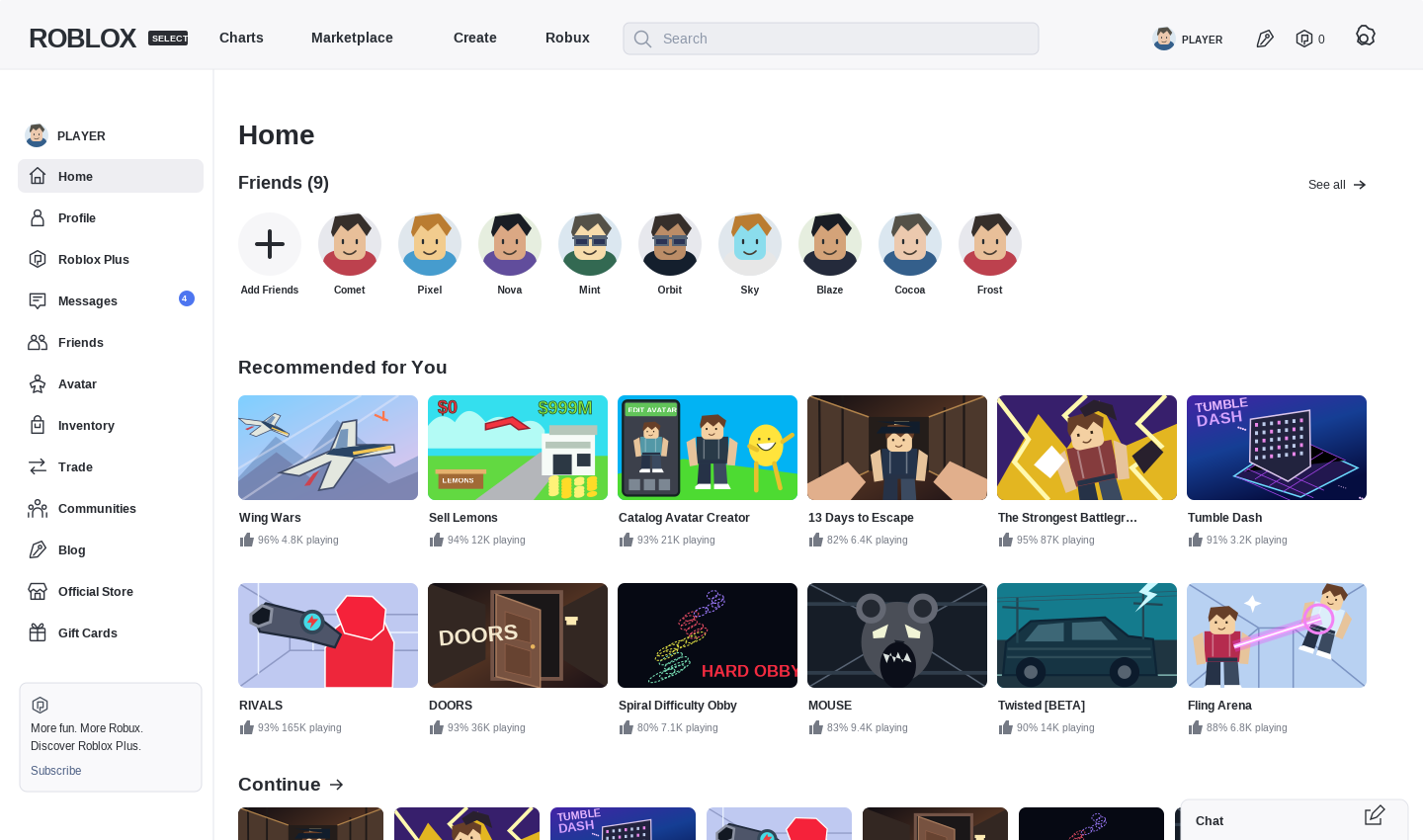
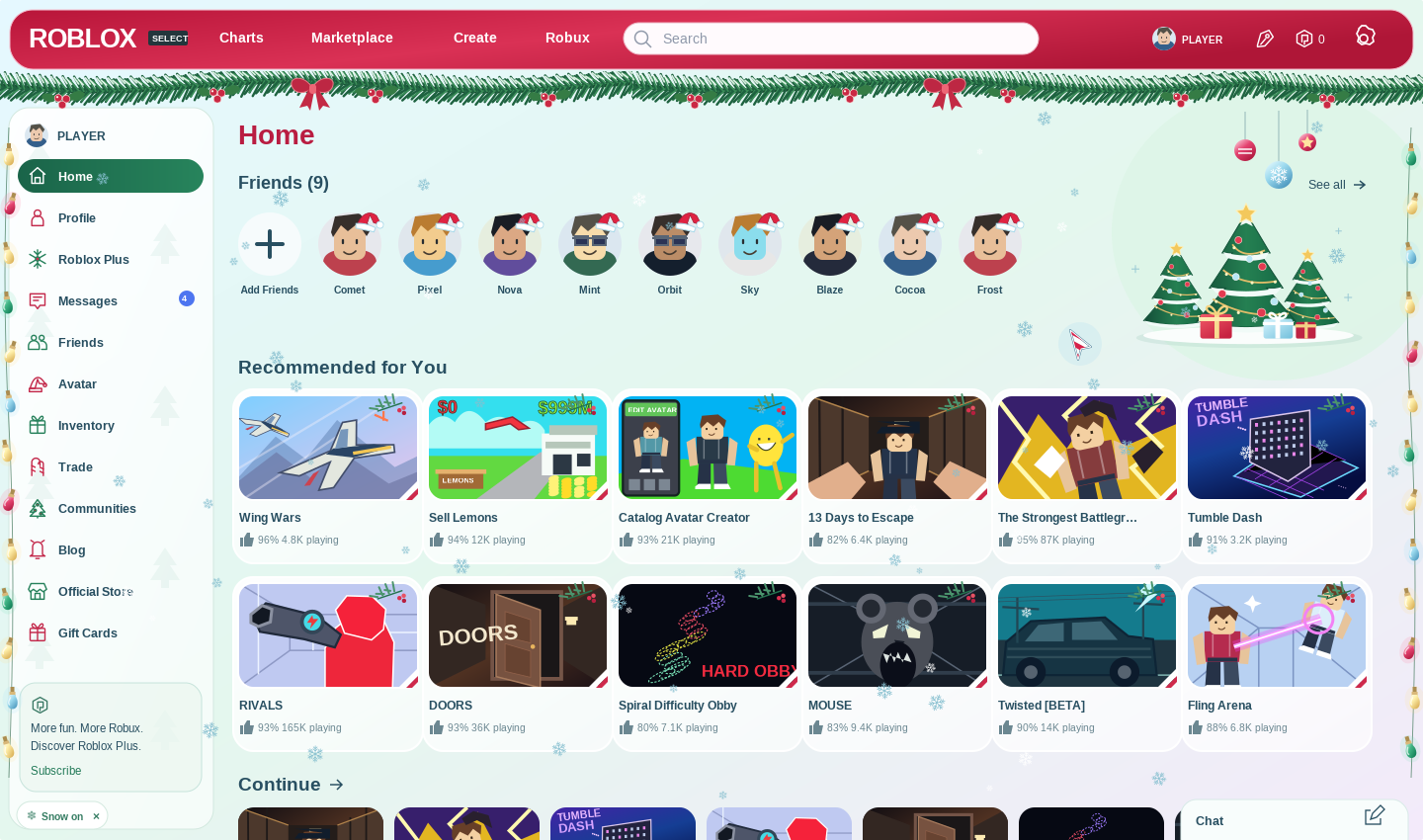
A festive new look for the website and the games you know.
Slide between everyday and holiday.
Winter, everywhere.
Falling snowflakes, fir branches, Christmas trees, and garlands with a soft glow.
A fresh festive palette.
Christmas red, evergreen, and icy blue. Rounded cards and a frosted finish.
Make it your kind of merry.
Switch the theme, snowfall, and festive cursor on or off in the extension popup.
A LITTLE HELP GETTING STARTED
Less setup.
More festive.
Prefer to follow along? This is your spot for a simple, step-by-step installation video.
Read the installation guideMAKE IT MERRY
Unzip.
Add.
Get festive.
A few simple steps in your desktop browser.
Then a little Christmas, every day.
- 01
Download & unzip
Download the extension ZIP and extract its files into a folder named Snowblox. Keep that folder somewhere permanent.
Download extension - 02
Open your extensions
Open the address for your browser and turn on Developer mode.
Paste the address into your browser’s address bar.
- 03
Load it. Let it snow.
Choose Load unpacked and select the folder containing manifest.json. Open Roblox and refresh once. Pin Snowblox to your toolbar to control the theme, snowfall, and cursor.
Your holiday makeover starts in the browser.
GOOD QUESTIONS. COZY ANSWERS.
A little
more to know.
Everything else before
you unwrap Snowblox.
What exactly is Snowblox?
Snowblox is a browser extension designed to give the Roblox website and your games a Christmas makeover, with a festive color palette and seasonal decorations.
Does it change the games I play?
Yes. Snowblox dresses up the Roblox website and brings the festive look into your games too — seasonal colors and holiday details in supported experiences. The gameplay itself stays exactly as you know it.
Which browsers is the setup guide for?
The guide covers Google Chrome and Microsoft Edge on desktop. Follow the instructions for your browser in the installation section above.
Can I go back to the original look?
Yes. Open Snowblox from your browser toolbar and turn off Christmas theme. You can also toggle Snowfall and Festive cursor separately. Your choices are saved for the next visit.
Can I use it on my phone?
This installation guide is for desktop browsers. It does not apply to the Roblox mobile app.
Is Snowblox made by Roblox?
No. Snowblox is an independent project and is not affiliated with or endorsed by Roblox Corporation. Roblox is a trademark of Roblox Corporation.